EI777 APP RESOURCE

EI777 mobile app membership guide

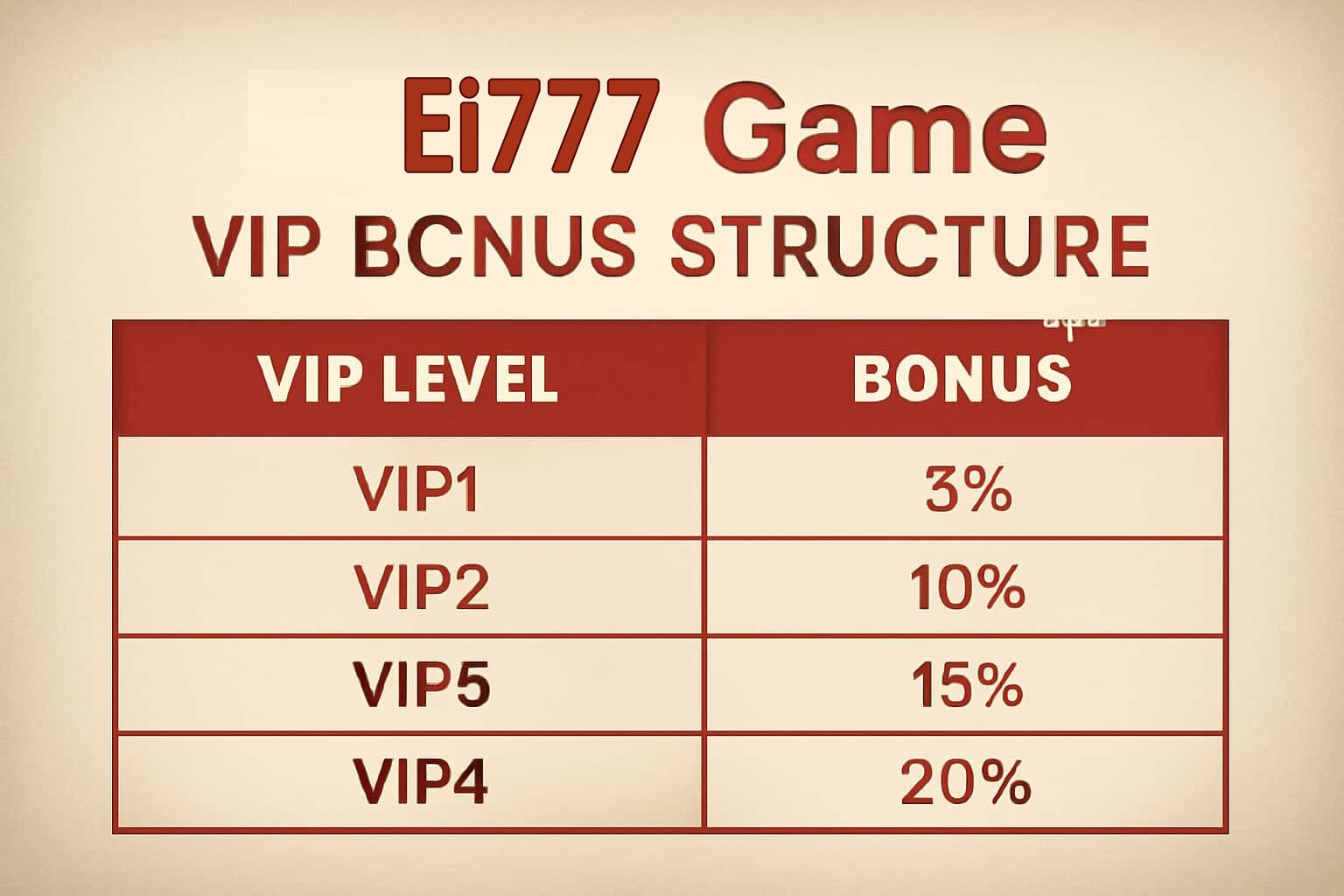
EI777 App Membership Guide: Levels and Member Features

The EI777 membership area is arranged by level, but the useful part is the live detail beside each feature. That screen shows what is open to the account now, how progress is counted, and whether a renewal date applies.

Moving up a level can bring access to selected app events, a quicker help route, or limited member features. Treat each one separately: read its activation note, closing time, and profile conditions before using it.

The signed-in membership page is the best place to confirm today’s level and access.

AT A GLANCE

The details worth checking next

How Progress Is Counted

The level on screen may reflect recent app use, membership history, completed profile checks, and participation in eligible events.

What a New Tier Can Add

A current tier may include particular in-app tools, event invitations, personal notices, or a dedicated help channel. The mix can change between campaigns.

Read the Feature Card First

Look at the closing date, activation step, and usage rules. A member feature still needs to fit the time and spending boundaries you have set.

Level-Based App Events

Some activities open at a particular tier and carry their own entry, scoring, and final-result rules. Keep that event page handy.

Using a Priority Help Route

When a faster channel is listed, send the time, page name, and one focused screenshot. A tidy report gives the team a clearer starting point.

If a Feature Is Locked

Compare the displayed level, verification state, event window, and activation control before reporting that access is missing.